
In 2026, QR codes have become as fundamental to daily life as the internet itself. Over 2.9 billion people worldwide now use them for everything from contactless payments to accessing product information — a staggering adoption rate that has transformed QR codes from a niche marketing tool into essential digital infrastructure. Yet this explosive growth carries a darker side. Cybercriminals have identified QR codes as a powerful attack vector, giving rise to quishing — a threat so severe that the U.S. Federal Bureau of Investigation issued a public advisory warning businesses and consumers about it. According to a February 2026 report by Keepnet Labs, QR code phishing attacks increased fivefold in 2025 alone, making it one of the fastest-growing cyber threats on record.
This guide covers everything you need to know about QR code security in 2026 — from how quishing works and which industries are most at risk, to the practical steps businesses and consumers can take to stay safe. For a broader picture of how QR codes are being used today, see our QR Code Statistics 2026 report. To understand the underlying technology that makes all of this possible, read our breakdown of how QR codes work.
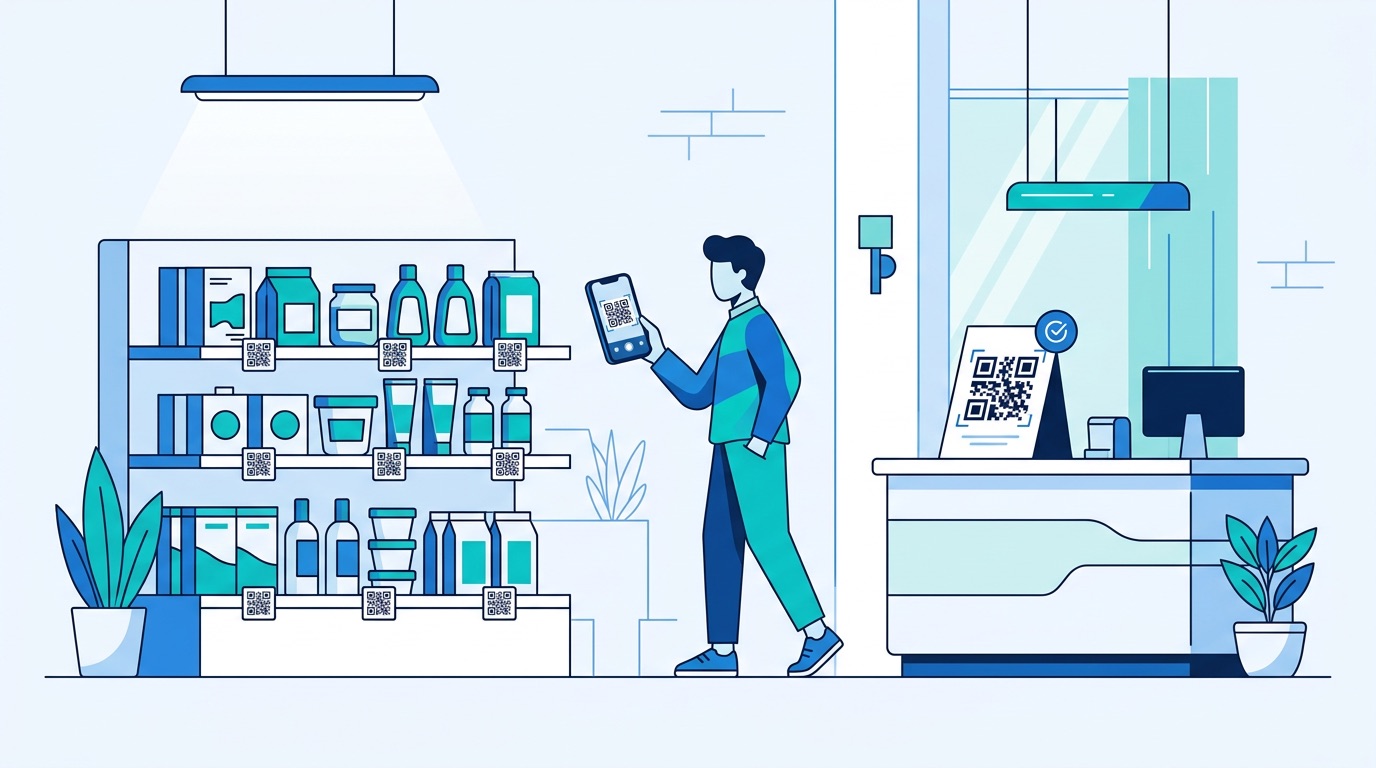
QR codes have embedded themselves into the fabric of commerce, healthcare, hospitality, logistics, and government services. Over 94% of marketers now use QR codes, and nine in ten consumers scan at least one per week. The global QR code payment market, valued at $14.7 billion in 2024, is projected to reach $38.2 billion by 2030. This scale means the stakes for QR code security have never been higher.
This ubiquity has not gone unnoticed by cybercriminals. 12% of all phishing attacks now contain a QR code — up from just 0.8% in 2021. QR-based phishing emails surged from approximately 47,000 detected incidents in August 2025 to over 249,000 by November — a fivefold increase in just four months. Meanwhile, average business losses from a successful quishing attack exceed $1 million per incident. Understanding this threat landscape is no longer optional for businesses deploying QR codes — it is a strategic imperative.
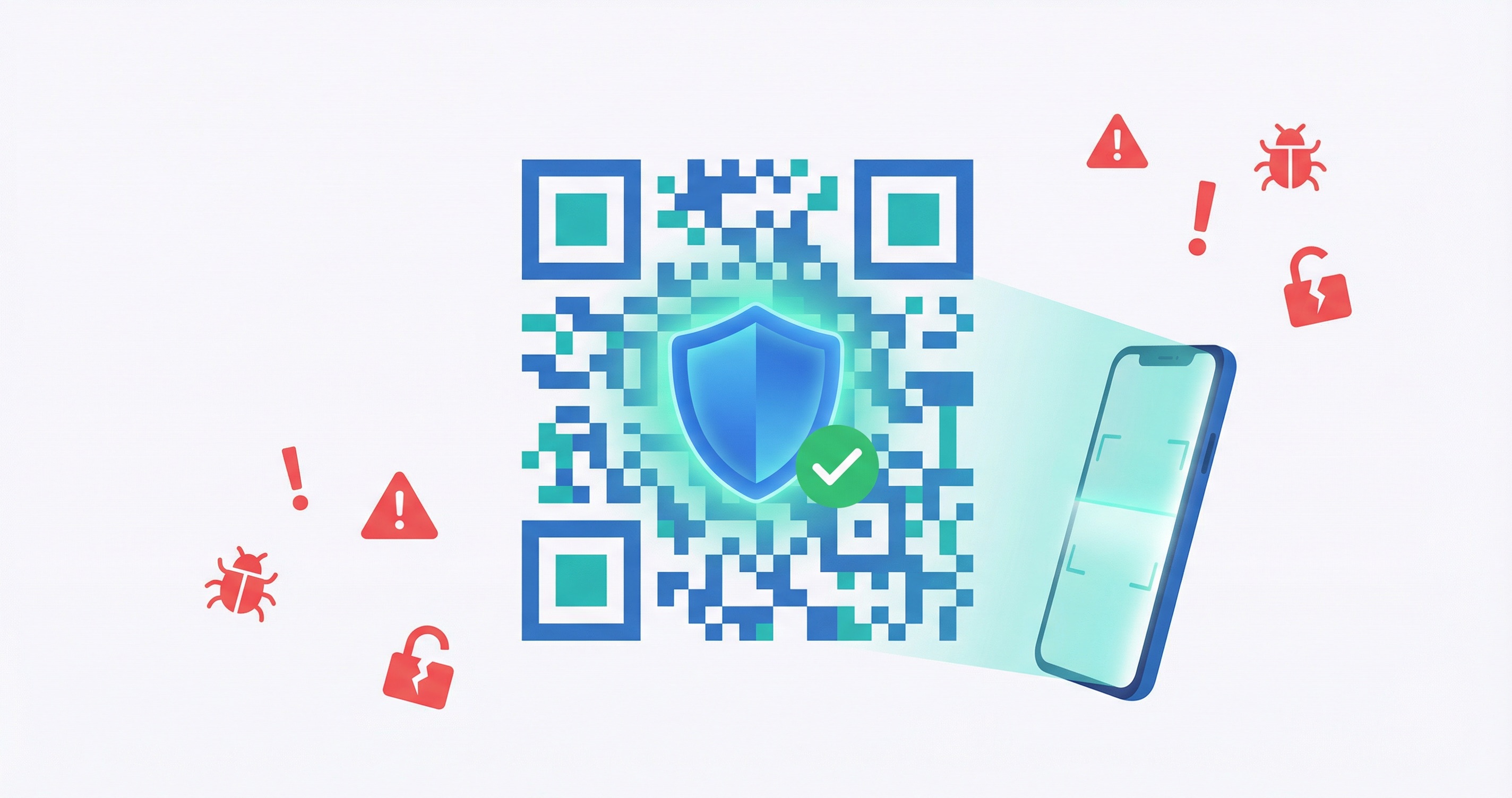
Quishing — a portmanteau of "QR code" and "phishing" — is a cyberattack that uses a malicious QR code to direct victims to a fraudulent website designed to steal credentials, financial information, or other sensitive data. Unlike traditional phishing, which relies on clickable hyperlinks that email filters can scan, quishing embeds the malicious URL invisibly within the pixels of a QR code image. Many email security systems cannot inspect URLs hidden inside images, allowing quishing emails to reach inboxes that would block conventional phishing attempts.
The most common delivery method is embedding a malicious QR code inside a PDF attachment — which is even harder for automated security systems to scan than an inline image. According to StrongestLayer research, 68% of quishing attacks specifically targeted mobile users in 2025, because when a victim scans the code on a personal smartphone, they bypass all corporate endpoint security controls entirely. The attack then lands on a personal device with minimal protection.
Quishing attacks succeed through social engineering. The most common pretexts include:
Despite growing awareness, only 36% of QR phishing incidents are accurately identified and reported by recipients, leaving the vast majority of attacks to succeed undetected. Don't believe the common assumption that QR codes are safe by default — our post on 11 common myths about QR codes debunks this and other misconceptions in detail.
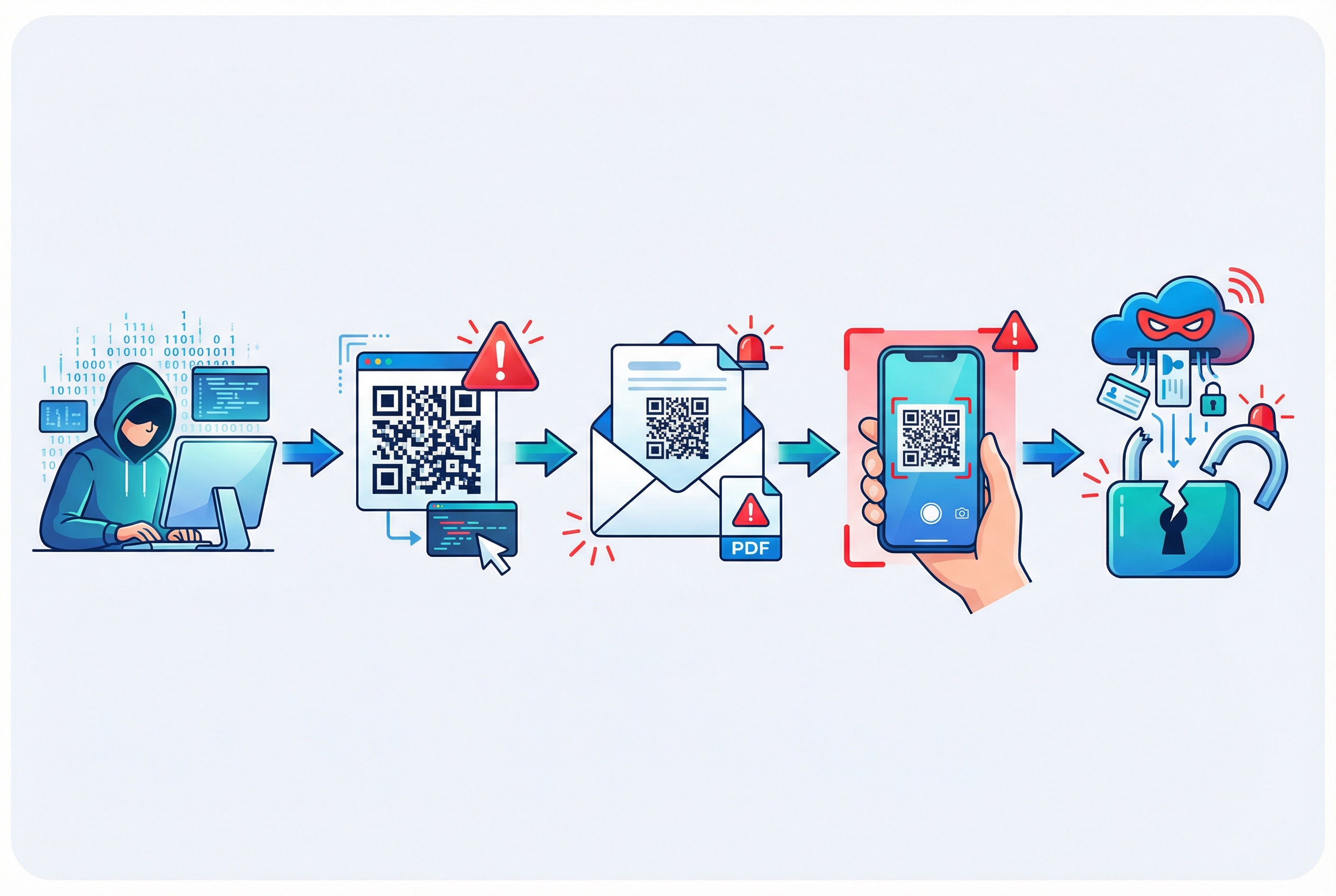
Understanding the mechanics of a quishing attack helps businesses and individuals recognize the warning signs. A typical attack moves through five stages:
Stage 1 — Target reconnaissance. The attacker identifies a target organization and researches its infrastructure — learning which cloud tools it uses (Microsoft 365, Google Workspace, Okta) to create a convincing fake login page. In some cases, attackers use AI to generate highly realistic pages that mirror the target's exact branding.
Stage 2 — Attack asset creation. The attacker creates the malicious landing page on a trusted hosting platform. According to Palo Alto Networks Unit 42 research, 68% of quishing attacks use legitimate cloud infrastructure — AWS, Cloudflare, Google Cloud, or Azure — making the URLs appear credible. A QR code is then generated pointing to this page.
Stage 3 — Delivery. The QR code is embedded in a phishing email (often as a PDF attachment) or placed physically over a legitimate code in a public location. The email uses urgency framing: "Your account will be locked in 24 hours — scan to verify your identity."
Stage 4 — Mobile interception. The victim scans the code on their personal smartphone. The device is outside all corporate security controls. The victim lands on a convincing fake login page and enters their credentials.
Stage 5 — Credential harvesting and lateral movement. The attacker captures the credentials in real time. With stolen corporate login details, they access email, cloud storage, and internal systems — often triggering a full data breach. The entire attack can be executed within minutes.
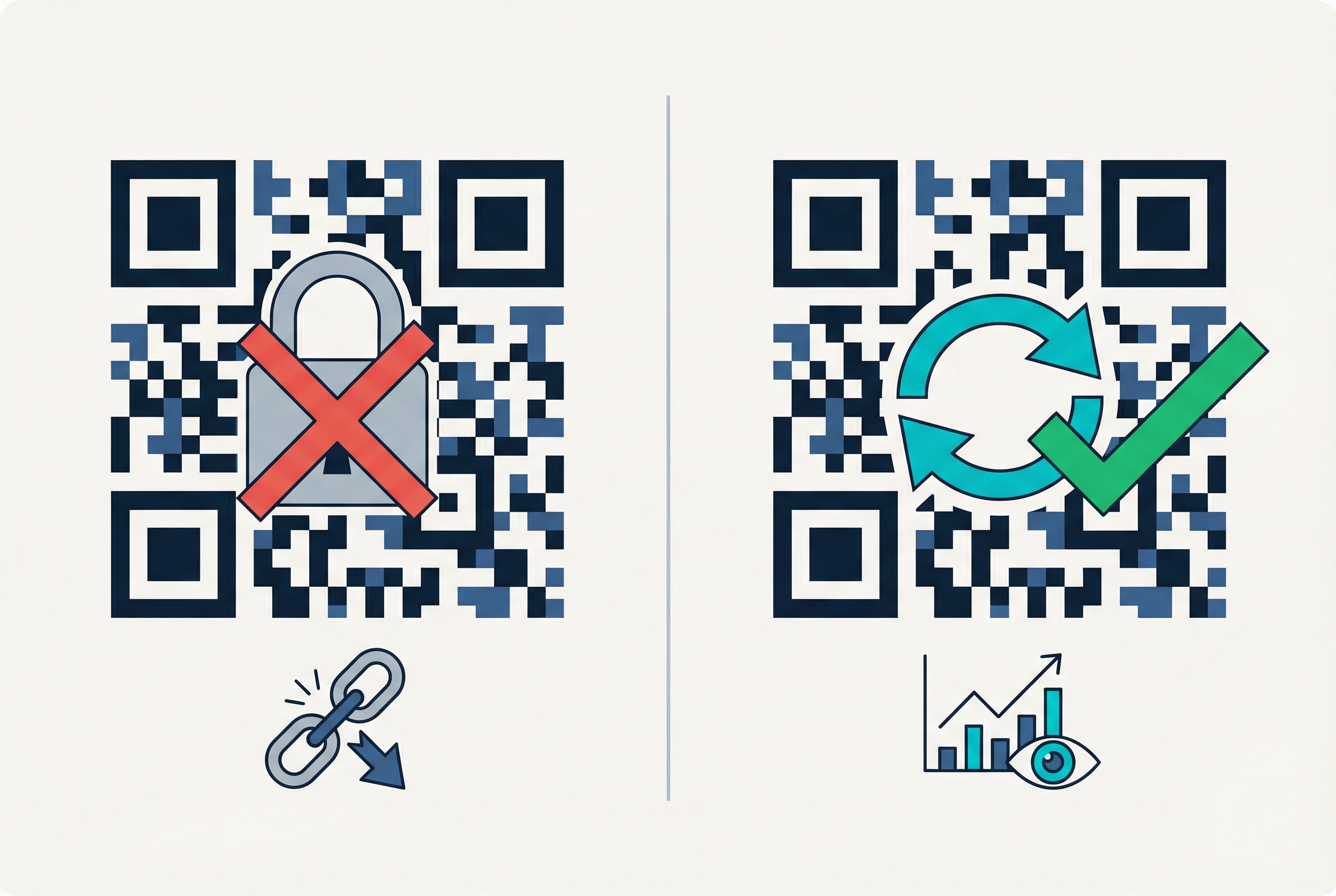
Not all QR codes carry the same security profile. Understanding the difference between static and dynamic QR codes is foundational to making secure deployment decisions.
Static QR codes encode the destination URL directly into the pixelated pattern. Once printed, they cannot be changed. If the embedded URL turns out to be malicious, the only remediation is to reprint and redistribute the code — often impossible at scale. Static codes also provide no scan analytics, so you can never detect unusual scanning activity that might indicate your code has been tampered with.
Dynamic QR codes store a short redirect URL in the code itself, which points to a management platform that then routes the scan to the final destination. This provides three critical security advantages:
The trade-off: dynamic QR codes introduce a dependency on the management platform. If the platform itself is compromised, an attacker could hijack the redirect. This is why platform security — including SOC 2 compliance and access controls — matters enormously. When choosing a dynamic QR code platform, consult our Best QR Code Generator 2026 comparison to evaluate platforms on security features.

The quishing landscape in 2026 is more sophisticated than ever. Here are the primary threat vectors businesses must defend against:
1. Email quishing campaigns. The dominant attack channel. Malicious QR codes embedded in emails — especially PDF attachments — bypass most email security filters. 83% of malicious Microsoft 365 documents now contain QR codes. The attack targets mobile devices, which lack enterprise security tooling.
2. Physical QR code tampering. Attackers print sticker-based QR codes and place them over legitimate codes in restaurants, parking meters, EV charging stations, retail stores, and public transport. In one 2025 incident, fake QR stickers placed across 200 store locations caused $2.3 million in damage control costs.
3. Fake payment QR codes. Fraudulent QR codes at point-of-sale terminals, payment kiosks, and contactless checkout stations redirect payments to attacker-controlled accounts. With global QR code payment volume projected to exceed $3 trillion, this represents a massive attack surface.
4. Domain expiry hijacking. Static QR codes pointing to domains that later expire can be re-registered by attackers, who then control the destination. This is a particularly insidious attack because the original code and its printed materials appear completely legitimate.
5. State-sponsored quishing. In January 2026, the FBI warned of North Korean state-sponsored actors using quishing against U.S. think tanks, academic institutions, and government entities — a sign that the threat has escalated beyond criminal enterprises to geopolitical actors.
6. AI-generated phishing pages. Generative AI now allows attackers to create near-perfect replicas of login portals in minutes, customized for specific targets. This has dramatically lowered the skill barrier for sophisticated quishing attacks.
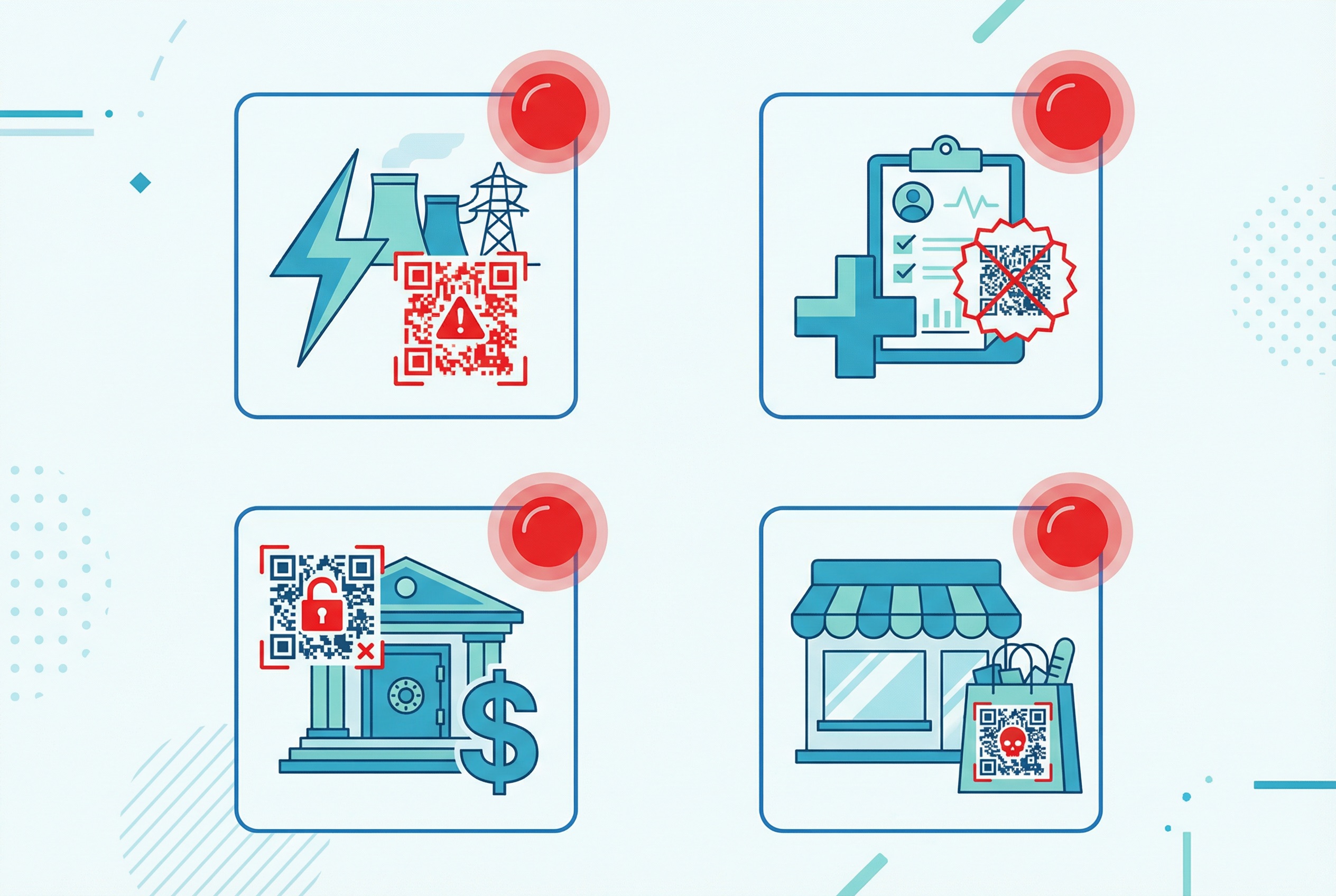
Quishing attacks are not distributed evenly across industries. Research consistently identifies the same high-value sectors as primary targets:
Energy. The most targeted sector, receiving 29% of malware-infested quishing emails. The energy sector's critical infrastructure status and the high value of operational data make it a prime target for both criminal and state-sponsored attackers.
Finance and insurance. QR codes are increasingly used in banking apps, insurance claim processing, and payment systems, making financial services businesses attractive targets. Fake QR codes redirecting to fraudulent banking pages are a growing concern, particularly at ATMs and mobile payment terminals.
Healthcare. Hospitals and clinics use QR codes extensively for patient check-in, prescription verification, and medical record access. Healthcare organizations handle extraordinarily sensitive data — patient records, insurance information, prescription data — making them high-value targets. A compromised healthcare QR code can enable HIPAA violations with severe legal and reputational consequences.
Retail. The retail sector has the highest employee miss rate for detecting malicious QR codes — meaning retail staff are least likely to recognize and report a quishing attempt. Retail businesses deploying QR codes for loyalty programs, product information, and checkout must invest in both secure platforms and staff training.
Restaurants. The explosion of QR code menus post-pandemic has created significant attack surface in the restaurant industry. Physical sticker attacks targeting restaurant table QR codes are particularly common, as diners expect to scan a code and may not scrutinize the URL carefully.
A note on targeting by role: Business executives face 42 times more quishing attacks than average employees. C-level executives are specifically targeted because of their access to sensitive systems and their authority to approve financial transactions — making them the highest-value quishing targets within any organization.
For enterprises deploying QR codes at scale — across marketing campaigns, bulk code generation for product packaging or events, or internal workflows — a comprehensive security strategy requires multiple reinforcing layers. Our full guide to QR codes for enterprises covers this in depth; here is the security-focused framework:
Layer 1: Platform security. Choose a QR code management platform that is SOC 2 Type 2 certified. SOC 2 Type 2 certification means the platform has undergone a rigorous third-party audit covering security, availability, processing integrity, confidentiality, and privacy over an extended period. This is the single most important vendor selection criterion. Supercode's enterprise-grade QR code generator is SOC 2 Type 2 compliant, GDPR-ready, and CCPA-compliant — providing the compliance foundation enterprise security teams require.
Layer 2: Dynamic codes with analytics. Never deploy static QR codes for enterprise use. Dynamic codes give you the ability to deactivate compromised destinations, rotate URLs, and monitor scan patterns through real-time analytics. Set up anomaly alerts for unexpected scan volume spikes, geographic anomalies, or scanning from known malicious IP ranges.
Layer 3: Access controls. Implement strict role-based access controls on your QR code management platform. Limit who can create, edit, and deactivate codes. Require multi-factor authentication for all platform logins. Log all changes with full audit trails.
Layer 4: Employee training. Security awareness training improves QR phishing detection by 87% within three months, according to Keepnet Labs research. Regular simulated quishing exercises using tools like quishing simulators are significantly more effective than passive training modules. Train employees to never scan an unexpected QR code without verifying the request through a secondary channel.
Layer 5: Email security. Deploy email security solutions with advanced image analysis capabilities that can inspect QR codes embedded in images and PDF attachments. Next-generation email gateways increasingly include QR code URL extraction and scanning as a standard feature.
Layer 6: Customer feedback QR codes and user-facing codes. For any QR codes placed in customer-facing contexts, use branded short domains rather than generic redirect services. This makes your codes easier to visually verify and reduces the effectiveness of look-alike sticker attacks. Physically inspect all deployed codes regularly to check for tampering.
Creating a secure QR code starts with choosing the right platform and following security best practices during the creation process. Here is a step-by-step approach using Supercode — for the full walkthrough, see our complete guide to creating a QR code.
Step 1 — Always use HTTPS. Every URL QR code you create should point to an HTTPS destination — never HTTP. HTTPS encrypts the connection between the scanner's device and your server, protecting data in transit. Supercode validates destination URLs during creation and flags any HTTP-only destinations.
Step 2 — Choose dynamic over static. For any code that will be deployed at scale or for an extended period, always use a dynamic QR code. Dynamic codes give you the control to respond instantly if a security issue arises. See our comparison of dynamic vs. static QR codes to understand which is right for your use case.
Step 3 — Use a branded domain. Supercode allows you to configure a custom domain for your QR code redirects (included on every Supercode plan, including the free plan on the pricing page). A branded domain (e.g., qr.yourbrand.com) makes your codes immediately recognizable and significantly harder to spoof with look-alike sticker attacks.
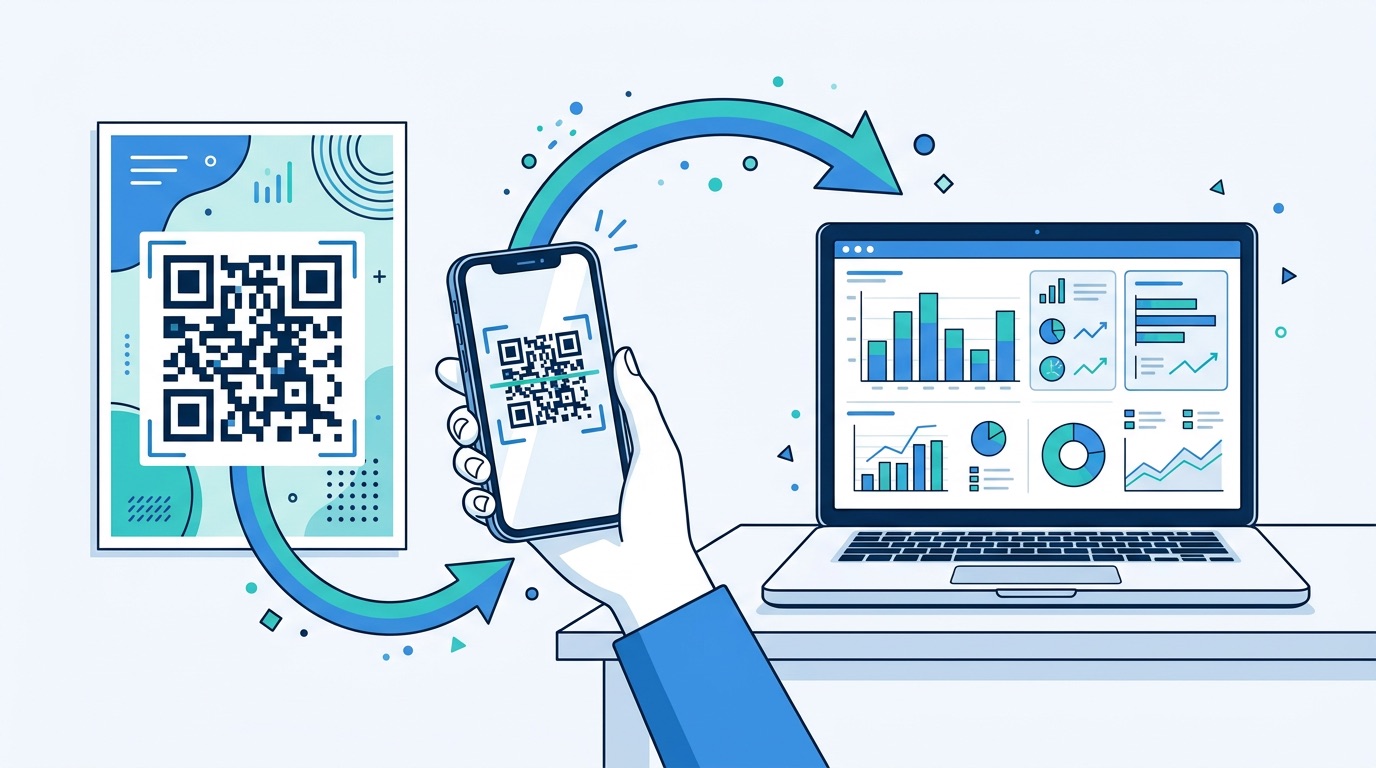
Step 4 — Enable scan analytics. Every QR code you create with Supercode includes built-in tracking. Monitor your codes through the Supercode dashboard for unusual scan patterns — geographic anomalies, unexpected volume spikes, or scans at unusual times of day can all be early indicators of tampering or misuse.
Step 5 — Set expiration dates for time-limited campaigns. For QR codes deployed in temporary contexts — event signage, seasonal promotions, conference materials — set expiration dates. An expired code that still resolves to a live destination is an attack surface. Supercode's dynamic codes allow you to set automatic expiration, after which the code returns a safe "this campaign has ended" message.
Step 6 — Document and audit your code inventory. Maintain a registry of all active QR codes, their destinations, their physical or digital deployment locations, and their owners. This makes it possible to respond quickly if a code is reported as suspicious.
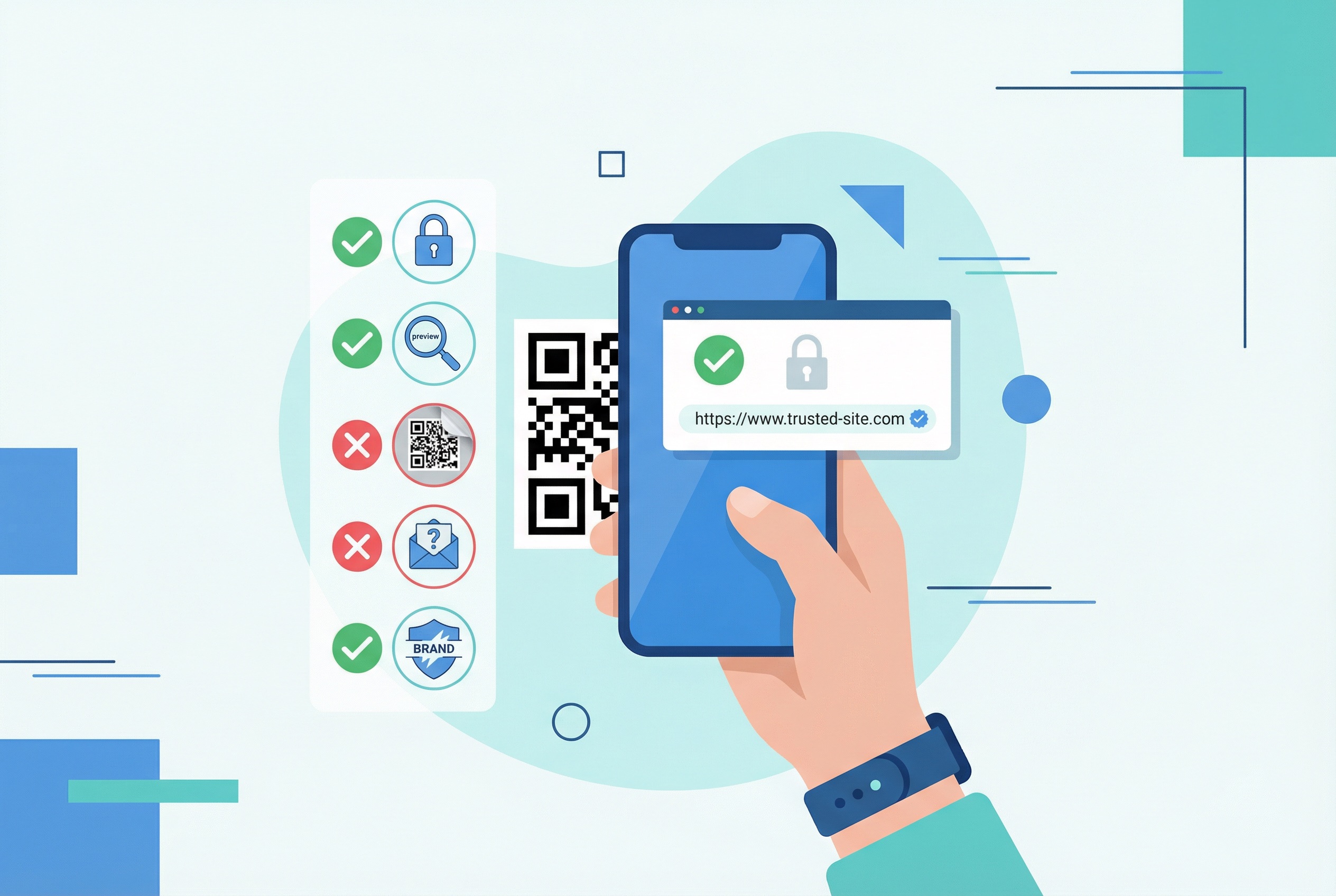
While businesses bear significant responsibility for the codes they deploy, consumers play an equally important role in staying safe. The following practices dramatically reduce the risk of falling victim to a quishing attack.
Before you scan — inspect the context. Assess where the QR code is located before scanning it. For codes on physical objects — posters, billboards, parking meters, restaurant tables — look carefully for stickers that may have been placed over a legitimate code. A sticker that is slightly misaligned, has different paper stock, or covers any surrounding printed text is a red flag.
Before you scan — preview the URL. Modern smartphone cameras show a preview of the URL embedded in a QR code before you open it. Always check this preview. Look for:
In emails and messages — verify the sender first. Be extremely cautious scanning any QR code received via email or messaging apps unless you were explicitly expecting it. Call or message the sender directly through a verified channel to confirm before scanning. This is especially important for codes claiming to require urgent action.
After scanning — be wary of unexpected login pages. Legitimate companies rarely ask you to log in via a QR code scan. If a QR code takes you to a page asking for credentials, close the browser immediately and navigate to the company's website directly via your browser's address bar. Never enter credentials on a page you reached through an unsolicited QR scan.
If you think you've been quished: Immediately close the browser, clear your browser cache and cookies, and change the passwords for any accounts you may have entered. Enable multi-factor authentication on affected accounts. If the attack involved work credentials, report it to your IT security team immediately — fast response can limit the lateral damage of a credential compromise.
Use this checklist as a quick reference when evaluating your QR code security posture. It applies to any business using QR codes in customer-facing contexts — from product packaging to digital marketing to internal operations.
Platform & creation:
Monitoring & response:
Employee & organizational:
The arms race between QR code security and QR code attacks is accelerating. Several emerging technologies are positioned to shift the balance back toward defenders in the coming years.
AI-powered threat detection. Next-generation email security and endpoint protection platforms are integrating QR code URL extraction as a standard capability. AI models trained on quishing patterns can identify malicious QR codes embedded in images and PDFs with far greater accuracy than signature-based detection. As AI improves, real-time scanning of QR code destinations before page load will become standard in mobile OS security layers.
Blockchain-based QR code registries. Blockchain technology offers the potential for a decentralized, tamper-proof registry of legitimate QR codes. A scanner could verify, in real time, that a code is registered to its claimed owner — making sticker attacks and domain hijacking immediately detectable. Several enterprise security firms are developing proof-of-concept implementations for high-security industries like pharmaceuticals and luxury goods.
Biometric and zero-trust authentication. Future QR code systems may require biometric authentication (fingerprint, face ID) before the destination URL is resolved, adding a "something you are" factor to the scanning process. Combined with zero-trust principles — where no scan is trusted by default — this could make QR codes significantly more resistant to credential-theft attacks.
Standardized QR code safety signals. Browser and OS developers are working on visual safety indicators for QR code scans — similar to the padlock icon that signals HTTPS in browsers. Standardized "safe scan" indicators would help consumers make informed decisions before visiting a QR-linked destination.
The QR code security landscape will continue to evolve rapidly. The organizations best positioned to navigate it are those that treat QR code security as an ongoing practice — not a one-time checkbox — and invest in platforms designed with security as a first principle.
Quishing is a type of phishing attack that uses a QR code — rather than a clickable text link — to direct victims to a fraudulent website. The key difference is that QR codes hide their destination URLs in a visual image, bypassing most email security filters that scan for suspicious links. This makes quishing emails significantly harder to detect and block than traditional phishing messages.
Scanning a QR code itself does not install malware. The risk is in what happens after: if the QR code directs you to a malicious website, that site may attempt to exploit browser vulnerabilities or trick you into downloading a malicious app. The more common threat is credential phishing — approximately 90% of quishing attacks aim to steal login information rather than install malware. Keeping your phone's operating system and browser up to date provides the strongest protection against browser-based exploits.
Check the physical context first — look for stickers placed over legitimate codes, misaligned printing, or codes that seem out of place. After scanning, always review the URL preview your phone shows before opening the page. Red flags include HTTP (not HTTPS), URL shorteners, misspelled brand names, and unexpected login requests. If in doubt, navigate directly to the organization's website rather than following the QR code link.
Dynamic QR codes offer meaningful security advantages: you can instantly deactivate a compromised code's destination, monitor scan analytics for anomalous activity, and rotate URLs to prevent domain-expiry hijacking. However, they also introduce a dependency on the management platform — making platform security critical. For any serious business deployment, dynamic QR codes are the more secure choice, provided you use a reputable, SOC 2-compliant platform like Supercode.
Prioritize platforms with SOC 2 Type 2 certification, GDPR and CCPA compliance, support for branded custom domains, real-time scan analytics with anomaly alerting, dynamic QR code management with instant deactivation, and strong access controls including multi-factor authentication. Avoid free tools with no compliance certification for any customer-facing or sensitive deployment. See our QR code generator comparison for a full evaluation of leading platforms on these criteria.
The energy sector receives 29% of all malware-infested quishing emails, making it the most targeted industry. Finance, insurance, healthcare, retail, and hospitality are also high-risk verticals. Within any organization, executives face 42 times more quishing attacks than average employees due to their access to sensitive systems and financial authority. Any business deploying QR codes should conduct a sector-specific risk assessment as part of their security planning.
Ready to create secure, trackable QR codes for your business? Sign up free with Supercode — enterprise-grade security, SOC 2 Type 2 compliant, with real-time analytics built in.